

The Ultimate Guide to Your Folding Bluetooth Keyboard
Picture this: you're sitting at a café table or in an airport lounge, and you've just turned it into your own fully-functional workspace. That's the magic of a folding Bluetooth keyboard. It’s the key to transforming your foldable phone from a simple communication device into a genuine productivity powerhouse.
Think of it less as an accessory and more as a portable command center that slips right into your pocket.
Your Pocket-Sized Office Reimagined
Welcome to the future of mobile work—a world where your office is wherever you happen to be. The old barriers between getting things done and being on the move are crumbling, all thanks to smart devices that punch well above their weight. A folding Bluetooth keyboard is a central player in this shift.
It gives you a full-sized typing experience that you just can't get from a smartphone’s touch screen. Suddenly, you're firing off long emails, drafting documents, or taking detailed notes with the same speed and comfort you'd expect from a laptop.
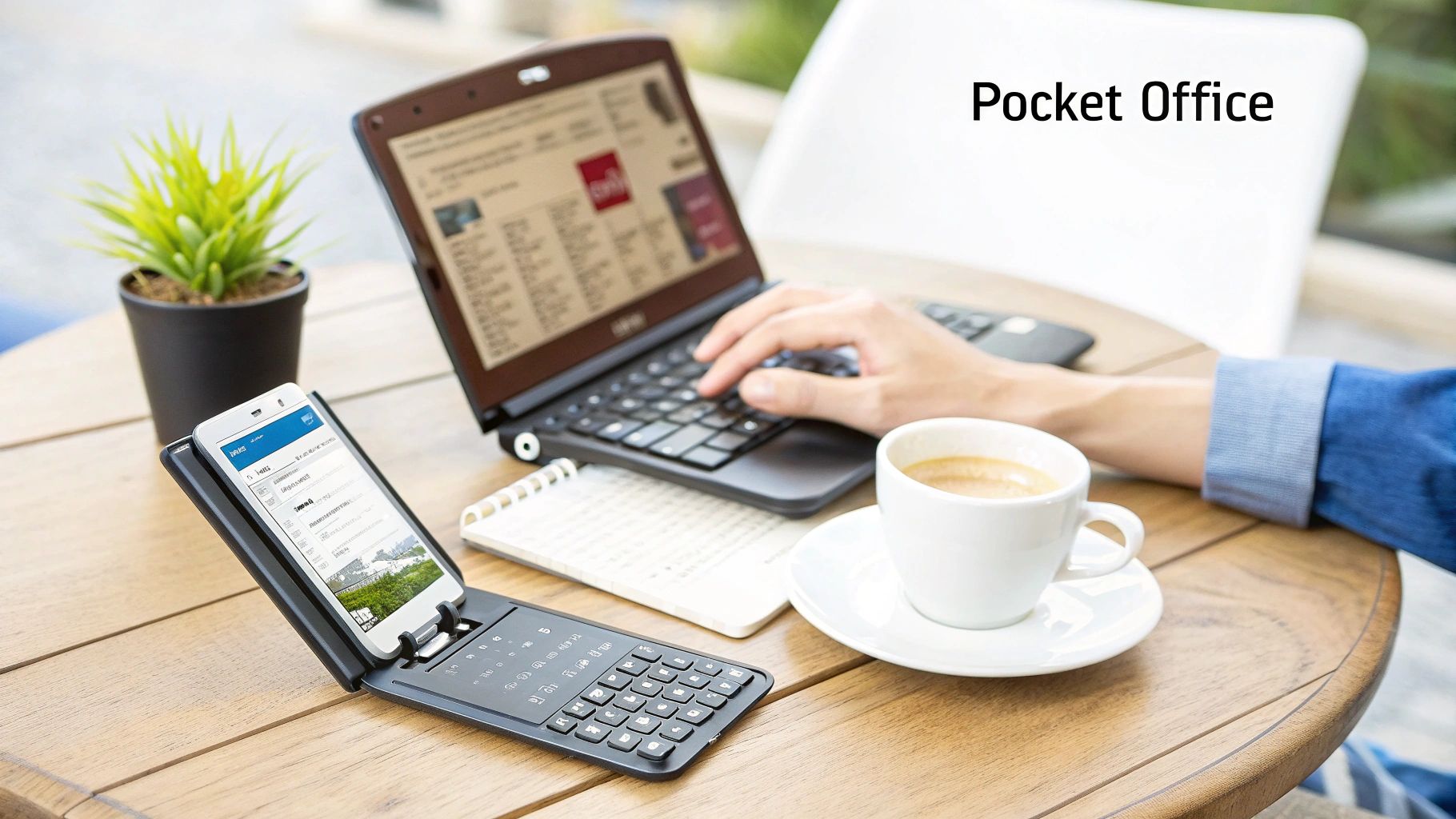
The market is definitely taking notice. The global Bluetooth folding keyboard market was valued at around USD 425 million in 2024 and is set to grow at a healthy clip of 9.2% a year through 2033. This isn't just a niche gadget; it's a trend driven by professionals who need tools that can keep up with their dynamic lifestyles. You can read more on the foldable keyboard market growth to see the full analysis for yourself.
Unlocking True Mobile Productivity
A portable keyboard does more than just help you type faster; it fundamentally changes how you use your devices. When you pair one with a foldable phone, you’re creating a mini-workstation that can handle some serious tasks.
This setup is a game-changer for people like:
- Content Creators: Pounding out scripts, blog posts, or social media updates from literally anywhere inspiration strikes.
- Students: Taking comprehensive lecture notes without lugging a heavy laptop across campus.
- Business Travelers: Clearing out their inbox and editing reports between flights without compromise.
Of course, hardware is only half the battle. To truly turn your phone into a mobile workstation, you need the right software to go with your keyboard. Check out the best note-taking apps for peak productivity to really complete your setup.
This guide will walk you through choosing the right keyboard, keeping your device safe, and mastering your mobile workflow. We’ll also dig into how brands like FoldifyCase offer an entire ecosystem of gear, including protective keyboard cases, to support this powerful combination. For more ideas, you might also be interested in our 2025 mobile office review.
Decoding the Anatomy of a Great Folding Keyboard
Not every folding Bluetooth keyboard is built the same. While they all promise to make you productive on the go, the little details in their design are what separate a frustrating gadget from a genuinely useful tool. Understanding these core components is the key to finding one that actually clicks with your mobile workflow.
Think of the folding mechanism as the keyboard's entire personality. A bi-fold keyboard folds in half like a book, which usually gives you a wider but slimmer package when closed. On the other hand, a tri-fold keyboard collapses like a wallet, creating a thicker but more compact shape you can easily slip into a jacket pocket. Neither is better—it just depends on whether you value a thinner profile or a smaller overall footprint.
The Feel of the Keys Matters
Beyond how it folds, the typing experience is everything. This really boils down to two critical factors: the key layout and key travel.
- Key Layout: For anyone who touch-types, a near-standard layout is non-negotiable. Some ultra-compact models shrink important keys like Backspace or Shift, forcing you to completely relearn your muscle memory and slowing you down. A great folding keyboard keeps the familiar arrangement as much as possible, so you can switch from your desktop without missing a beat.
- Key Travel: This is the distance a key moves when you press it. Keyboards with really shallow travel can feel mushy and unsatisfying, which often leads to more typos. You want to look for a model with a decent amount of travel and a satisfying, tactile "click," something that mimics the feel of a quality laptop keyboard.
A keyboard's design directly impacts your efficiency. A weird layout might save a few millimeters in size, but it can cost you serious time and add a ton of frustration—completely defeating the purpose of carrying it in the first place.
Power and Connectivity Essentials
A portable keyboard is useless if it’s dead or won't connect to your devices. That’s why battery life and connectivity features are absolutely critical parts of its anatomy.
When you're looking at battery life, ignore the advertised "standby time." That number just tells you how long it lasts while sitting idle. The real metric is active usage time—how many hours of non-stop typing you can get on a single charge. A solid keyboard should offer at least 40-50 hours of active use, which is more than enough to get you through several days of work without hunting for a charging cable.
Multi-device connectivity is another feature that can completely change your workflow. The best models let you pair with up to three devices at the same time. This means you can be typing an email on your phone, then switch over to your tablet with a single keystroke to edit a document. It creates a seamless and efficient setup across all your gadgets.
Finally, don't overlook the materials. A keyboard designed for travel has to be durable. Aluminum or high-grade polycarbonate casings offer much better protection against the bumps and scrapes of daily life compared to flimsy plastic. The hinge mechanism is especially important, since it's the component that takes the most abuse. It's also worth noting that exploring other specialized input devices, like gaming keyboards, can give you some interesting insights into different ergonomic designs and performance features.
Why Portability Must Be Paired with Protection
Getting a powerful portable keyboard is a huge win for productivity on the go, but it's really only half the battle. What good is a mobile office if the most expensive part—your foldable phone—is left exposed? Portability without protection just isn’t a practical setup for the real world.
Think of it like this: your folding Bluetooth keyboard is the engine, but a tough case is the chassis that keeps everything intact on bumpy roads. For anyone using a premium device like the Galaxy Z Fold, protecting that major investment from drops, dust, and daily scuffs is an absolute must.
Creating a Road-Ready Workstation
The right gear turns a fragile tech combo into a complete, road-ready workstation. Picture a field agent tapping away on their keyboard at a dusty construction site, their phone totally sealed inside a case with port covers. That synergy means both tools work reliably, no matter where you are.
Or think about the digital nomad. A magnetic case doesn't just shield the phone; it can also hold the keyboard securely inside a backpack, stopping it from getting knocked around during travel.
This flowchart can help you visualize which keyboard path makes the most sense for your own needs.
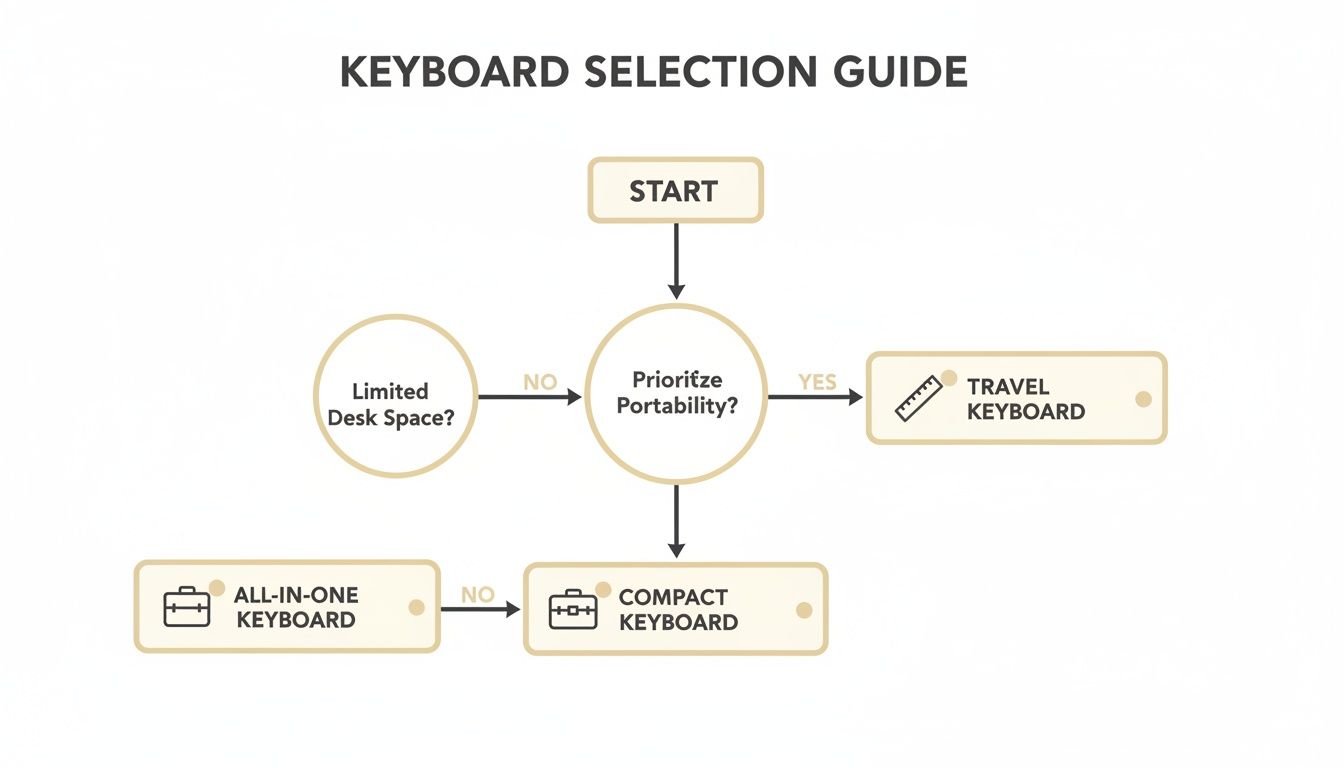
As the guide shows, the best choice really comes down to what you value most—ultimate compactness for travel, a fully integrated all-in-one unit, or a happy medium between the two.
A truly mobile setup isn't just about what you can carry; it's about what you can confidently use anywhere. Pairing a portable keyboard with a rugged case turns a fragile combination into a durable, go-anywhere office.
The Ecosystem of Protection and Productivity
This need for smart, integrated solutions is driving real growth in the market. Since folding keyboards started getting good with Bluetooth tech around 2010, the market has expanded steadily. The Bluetooth folding segment is on track to post a 9.5% CAGR from 2022-2032, easily beating the broader wireless market's 3.7% growth.
With over 40% of this market in North America—where remote work is common and 60% of users say they need better mobile typing options—the demand is undeniable.
This is where a complete ecosystem makes all the difference. At FoldifyCase, for example, we design accessories that are made to work together perfectly:
- Military-Grade Drop Protection: Our cases are tested to MIL-STD-810G standards, meaning they can absorb serious shock from drops and impacts.
- Dedicated Hinge Protection: This covers the most fragile part of a foldable phone, shielding it from debris and fall damage.
- Integrated Keyboard Cases: Some of our solutions combine the keyboard and a protective case into a single, convenient unit.
By investing in quality protection, you make sure your mobile office is not just portable but also tough enough to handle whatever your day throws at it. You might be interested in our wireless keyboard case for the Galaxy Z Fold, which brings all these ideas together.
Mastering Multi-Device Connectivity and Workflow
One of the most powerful features of a modern folding Bluetooth keyboard is its ability to juggle multiple devices, turning your collection of gadgets into a single, cohesive workspace. Moving beyond a simple one-to-one connection unlocks a whole new level of efficiency. It lets you switch between your phone, tablet, and laptop without missing a beat.
This is what elevates a handy accessory into an essential productivity tool.
Getting started is usually simple. You put the keyboard into pairing mode—often by holding a specific key—then find it in your device’s Bluetooth settings and connect. Most keyboards have indicator lights to show which device channel is active, so you always know where you're typing.
Of course, connection issues can occasionally pop up. If you hit a snag, simple tricks like turning Bluetooth off and on, "forgetting" the device and re-pairing, or just making sure the keyboard is charged usually do the trick. For more stubborn problems, our guide on troubleshooting common Bluetooth connection problems has more detailed fixes.
The Art of the Seamless Switch
The real magic happens once you have multiple devices paired up. Picture this workflow: you start drafting a long email on your foldable phone, using the keyboard for speed and comfort. With the press of a single button, you flick the keyboard’s connection over to your tablet to review a presentation deck, making quick edits on the fly.
Then, a video call notification pops up on your laptop. Another button press, and your keyboard is now paired with your computer, ready for you to type messages in the chat. This is the heart of a multi-device workflow—effortless transitions that keep you completely in the zone.
For demanding pros in fields like construction or fieldwork, these keyboards are game-changers. The ability to pair with up to three gadgets at once has been shown to boost efficiency by as much as 35% in user studies. FoldifyCase's keyboard cases take this even further by merging protection with input, while tempered glass add-ons keep screens safe during rugged use. You can dive into the impact of foldable keyboards on productivity and see the data for yourself.
Optimizing Your Multi-Device Setup
To make this system really work for you, a little organization goes a long way. Assign each device a dedicated channel on your keyboard to build muscle memory and make switching second nature.
- Channel 1: Your Primary Device (like your foldable phone) for quick tasks like replying to messages and emails.
- Channel 2: Your Secondary Workstation (a tablet, perhaps) for more involved work like document editing or creating content.
- Channel 3: Your Desktop or Laptop for heavy-duty projects or jumping into meetings.
By dedicating channels, you eliminate the guesswork. Switching between devices becomes an automatic, thoughtless action. This tiny optimization saves you a few seconds each time, which adds up to significant time savings and less mental clutter throughout your day.
Your Essential Buying and Maintenance Checklist
Choosing the right folding Bluetooth keyboard is the first step, but keeping it in great shape is what makes it a reliable tool for the long haul. Think of this as your game plan—first, we'll walk through how to make a smart purchase, and then I'll show you how to protect that investment with a few simple maintenance routines.
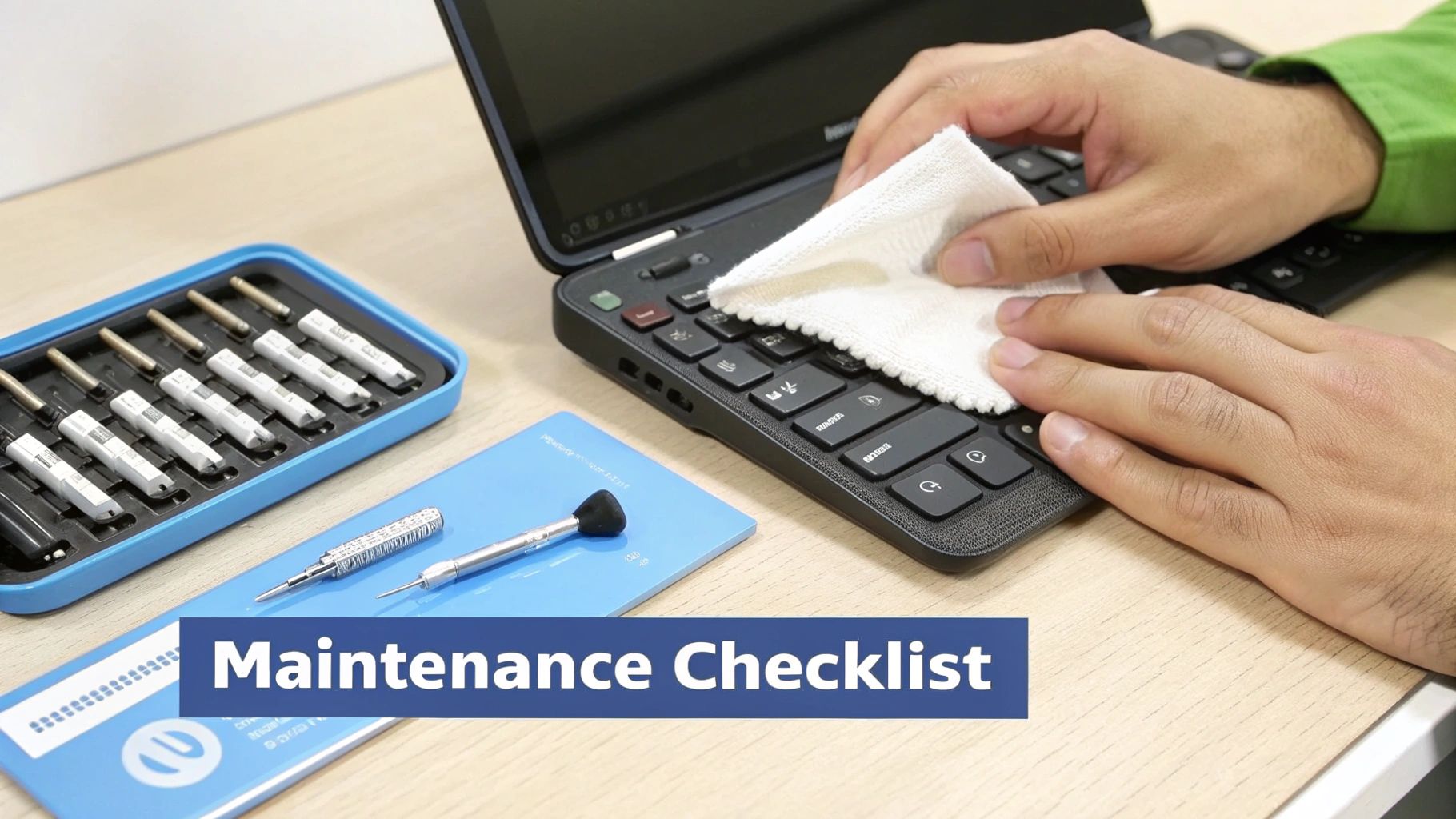
This is basically the user manual you wish came in the box. A few minutes of thought before you buy and a little care afterward can make all the difference in your mobile setup.
Your Pre-Purchase Checklist
Before you hit that "add to cart" button, run through these crucial points. Answering these questions now will prevent buyer's remorse and guarantee the keyboard you pick actually fits your life.
- Device Compatibility: Does the keyboard explicitly support your phone's operating system (Android, iOS)? It's a good idea to check reviews from people using the same device as you, like a Galaxy Z Fold or Pixel Fold, to make sure pairing is seamless.
- Key Feel and Layout: Can you actually type on it? Look for models with a near-standard ANSI layout to avoid having to relearn your muscle memory. If you can, test the key travel—a mushy, shallow press is a recipe for typos and frustration.
- Realistic Battery Life: Don't just look at standby time; find the active usage hours. A solid benchmark is 40+ hours of continuous typing. That should easily get you through several days of heavy use without hunting for a charger.
- Hinge Durability: Is the hinge made from something sturdy, like aluminum or reinforced polymer? This is the part that takes the most abuse, so a cheap plastic hinge is almost always the first thing to break.
Smart Maintenance for Longevity
Once you've got your new keyboard, a little upkeep goes a long way. Proper care prevents the most common issues and extends the life of all the delicate parts, from the key switches to the folding mechanism itself.
Think of keyboard maintenance like changing the oil in your car. It’s a simple, preventative measure that ensures reliable performance and helps you avoid much bigger problems down the road.
Cleaning and Storage Tips:
- Dust and Debris: Grab a can of compressed air to gently blow out dust from between the keys and around the hinge. Just be sure to hold the can upright and use short bursts to avoid spraying any propellant.
- Surface Cleaning: For fingerprints and smudges, lightly dampen a microfiber cloth with isopropyl alcohol (70% is perfect). Never spray liquid directly onto the keyboard itself.
- Safe Storage: Avoid just tossing it into a bag where it can get crushed or have other objects jam the keys. Keep it folded up, preferably in a small pouch or a dedicated pocket in your backpack.
Got Questions? We’ve Got Answers.
Even with the best gear, a few questions are bound to pop up. Whether you're thinking about grabbing your first folding Bluetooth keyboard or just want to get more out of the one you already have, getting straight answers is everything. This section cuts through the noise to tackle the most common things people ask.
We’ve pulled these questions straight from real-world user feedback and tech forums. No fluff, just the practical stuff that actually matters.
Compatibility and Device Support
One of the first things everyone asks is, "Will this thing even work with my phone?" It’s a fair question, but the good news is, compatibility is almost never a problem.
Will a folding Bluetooth keyboard work with my smartphone? Yes, it's almost a guarantee. Modern folding keyboards are built on standard Bluetooth technology, so they play nice with just about every operating system out there—Android, iOS, Windows, you name it. If your phone has Bluetooth, you're good to go.
Are there special tricks for foldable phones like the Galaxy Z Fold? Nope, not at all. From a connectivity standpoint, a foldable phone like a Samsung Galaxy Z Fold or Google Pixel Fold is just another Android device. The keyboard sees it, pairs with it, and works seamlessly. The real win is that a foldable's massive screen gives you a genuine laptop-like setup when you add a physical keyboard.
Can I use the same keyboard with my phone, tablet, and laptop? Absolutely. This is where these keyboards really shine. Most quality models let you pair with up to three devices at once. You can connect it to your phone, tablet, and laptop, then switch between them with a simple keyboard shortcut. It’s perfect for creating one unified workspace for all your gadgets.
Performance and User Experience
How a keyboard feels and performs day-to-day is just as critical as its tech specs. Let's get into the practical side of things.
Is there a noticeable typing delay or lag? With any modern Bluetooth keyboard (version 4.0 or newer), lag is a non-issue for typing. When you're writing emails, coding, or banging out notes, the connection is rock-solid and responsive. You won't notice any delay between hitting a key and seeing the letter appear.
There's a common myth that all wireless tech is laggy. For typing, Bluetooth has become so efficient that the experience feels identical to a wired keyboard. The only time you'd ever notice a hint of lag is in high-stakes competitive gaming, which is not what these keyboards are for.
How durable are the hinges on these things? It’s a valid concern—the hinge is the most important moving part. Reputable brands use tough materials like aluminum or reinforced polymers for their hinges, stress-testing them for thousands and thousands of folds. A cheap, no-name keyboard might have a flimsy plastic hinge that gives out, but a well-made one is built to handle the chaos of daily travel for years.
Can I actually type with it on my lap? It really depends on the design. Tri-fold keyboards, the ones with two hinges, usually need a flat surface to keep from collapsing on you. On the other hand, bi-fold keyboards with a single hinge down the middle are often more rigid and can work on your lap, though it might not feel as stable as a regular laptop.
Battery and Charging
A portable keyboard is only as good as its battery. If it's dead when you need it, what's the point?
How long does the battery really last? Pay attention to the active usage time, not just the standby number. A good folding Bluetooth keyboard should give you 40 to 60 hours of continuous typing from a single charge. For most people, that means weeks of use before you even have to think about plugging it in.
What kind of charging port should I look for? Go for USB-C. It's the modern standard, and it means you can use the same cable to charge your phone, tablet, and keyboard. That's one less cable to carry. Try to avoid any models still using the old micro-USB ports if you can.
Ready to build your own go-anywhere workstation? At FoldifyCase, we’re all about creating a complete ecosystem for your foldable device, mixing smart productivity tools with serious protection. Check out our collection of keyboard cases and accessories made to unlock your phone’s true potential.
Discover the perfect keyboard case for your device at FoldifyCase