

A Guide to Flawless Galaxy Wireless Charging for Foldable Phones
Wireless charging on your Galaxy phone feels like magic—just set it down and watch the battery fill up. No more fumbling for cables in the dark. It works using a technology called Qi-certified inductive charging, which sends power through an electromagnetic field from the pad to your phone. This cool feature is built into all modern Galaxy S, Note, and, most importantly, the Z series foldable phones.
Your Guide to Effortless Wireless Charging
Welcome to the only guide you'll ever need for mastering galaxy wireless charging, written especially for those of us with a Z Fold or Z Flip. We'll give you a quick, no-nonsense look at what it takes to get a perfect charge, every single time. We're going to pull back the curtain on the tech, show you why lining things up is so important, and explain why the right case is an absolute game-changer.
Think of wireless charging like a conversation. Your charging pad "talks" by creating an energy field, and your Galaxy "listens" through a tiny receiver coil inside. For that conversation to be crystal clear—and for charging to be fast and efficient—they need to be right on top of each other. This is the whole secret behind proper alignment.
The Importance of a Solid Connection
If those coils are even a little bit off, the "conversation" gets muffled and weak. This leads to painfully slow charging, annoying interruptions, or your phone just sitting there doing nothing at all. With the unique shapes of the Z Fold and Z Flip, getting this right can be a bit more finicky.
Nailing the connection gives you a few key wins:
- Faster Charging Speeds: A perfect alignment lets the maximum amount of power flow, getting you back to 100% much quicker.
- Less Heat Buildup: A bad connection is inefficient, and that wasted energy turns into heat, which isn't great for your battery's long-term health.
- Consistent Power Flow: You can finally say goodbye to that frustrating start-stop charging that happens when your phone is just barely making contact.
To make this simple, we've broken down the key ingredients for a great wireless charging experience.
Key Factors for Successful Galaxy Wireless Charging
| Factor | Why It Matters | Quick Tip |
|---|---|---|
| Perfect Alignment | Ensures the coils in the charger and phone are lined up for maximum power transfer. | Look for chargers with built-in magnets or guides, especially for foldables. |
| Case Compatibility | Thick cases or those with metal parts can block the charging signal completely. | Choose a case specifically designed for wireless charging, under 5mm thick. |
| Charger Quality | A cheap, low-wattage charger will only deliver slow speeds, no matter how well you align it. | Use a reputable Qi-certified charger that supports Samsung's Fast Wireless Charging. |
Getting these three things right solves about 99% of all wireless charging problems.
Why Your Phone Case Matters
The case you wrap around your Galaxy Z Fold or Flip is the gatekeeper for that wireless charging conversation. A case that's too bulky or made with the wrong stuff—like metal plates for car mounts—can completely block the signal.
The best cases are designed for more than just protection; they're engineered for performance. They use materials that let the electromagnetic field pass through cleanly, so your phone gets a steady, reliable charge every time you set it down.
This is exactly why specialized gear is so important for foldable owners. For instance, a purpose-built foldable wireless charging station is designed from the ground up to handle the unique shape of a Galaxy Z Fold.
Think of this guide as your roadmap to finally using your foldable’s best feature without any of the headaches. Once you get these basics down, you’ll enjoy fast, consistent power whether you're at your desk or on your nightstand. Let's dive a little deeper.
How Galaxy Wireless Charging Actually Works
At its heart, Galaxy wireless charging feels a lot like magic, but it’s really just some clever, fascinating science. Let’s skip the dense jargon. Think of it like a perfectly tuned guitar and an amplifier. Your charging pad is the amplifier, and your Galaxy phone is the guitar—when you bring them close, they "resonate," and energy flows between them through an invisible field.
This technology is called inductive charging. The charging pad has a coil of wire inside it, which acts as a transmitter coil. When you plug it in, electricity flows through that coil and creates an electromagnetic field around the pad. Your Galaxy phone has a matching coil inside, called the receiver coil.
Once you place your phone on the pad, that electromagnetic field "induces" an electric current in your phone's receiver coil. This current is then converted into the DC power that charges your battery. It's a clean, cable-free handoff of energy right through the air.
The Universal Language of Qi
For this whole process to work safely and efficiently, both the charger and your phone need to speak the same language. That universal language is called Qi (pronounced "chee"). Developed by the Wireless Power Consortium (WPC), the Qi standard is what ensures any Qi-certified phone will work with any Qi-certified charger, no matter who made it.
This standardization is a huge deal for a few key reasons:
- Safety: Qi chargers are smart. They include safety features like Foreign Object Detection (FOD), which stops the charger from powering up if it senses something like your keys or a stray coin on the pad. Without this, those metal objects could get dangerously hot.
- Efficiency: The standard makes sure the devices are talking to each other, managing the power flow to reduce wasted energy that turns into heat.
- Compatibility: It’s why you can use a Samsung charger for your Galaxy Buds or grab a third-party charging stand for your Galaxy Z Fold without a second thought.
The history here is pretty cool. Nikola Tesla was playing with the principles of inductive charging way back in the 1890s, but it took more than a century for the tech to hit the mainstream. The real turning point was in 2008 when the WPC launched the Qi standard. Its adoption exploded after 2017 when other big brands jumped on board, cementing it as the global go-to for wireless power. If you want to go down the rabbit hole, you can dig into the full wireless charging technology evolution.
This universal adoption means your Galaxy phone is part of a massive ecosystem of chargers and accessories.
From Basic Concepts to Fast Charging
The first Qi chargers were pretty basic, pushing out a standard 5 watts (W) of power. It worked, but it was painfully slow compared to plugging in a cable. Thankfully, the technology has come a long way since then.
Samsung rolled out its own Fast Wireless Charging protocol, letting newer Galaxy devices pull down power at much higher speeds—usually between 10W to 15W. This was a massive leap forward, cutting down wireless charging times significantly.
To hit those faster speeds, you need a perfect match: a Galaxy phone that supports Fast Wireless Charging and a pad that can actually deliver that higher wattage. If you use a standard 5W charger with a fast-charging phone, you'll be stuck in the slow lane.
The latest step in this evolution is Qi2, which brings magnetic alignment into the mix, much like Apple's MagSafe. For foldable phones, this is a total game-changer. The magnets ensure the coils in the charger and the phone snap into perfect alignment every single time, giving you the most efficient power transfer possible. No more fussing with the phone's position to make sure it's charging. For Galaxy users, this means a more reliable and convenient experience is right around the corner as more Qi2 accessories hit the market.
Mastering Charging on Your Foldable Phone
Foldable phones like the Galaxy Z Fold and Z Flip have completely changed what a smartphone can be. But their unique designs also rewrite the rules for galaxy wireless charging. With hinges and dual-body construction, getting a fast, stable charge takes a bit more finesse than with a standard phone. This isn't a flaw; it's just a different set of physics to master.
This section tackles those specific challenges head-on. Once you understand exactly where the charging coils are and how your phone's position affects power transfer, you can eliminate charging frustrations for good and get a perfect charge every single time.
The diagram below shows the basic idea of how a charger sends power to your phone.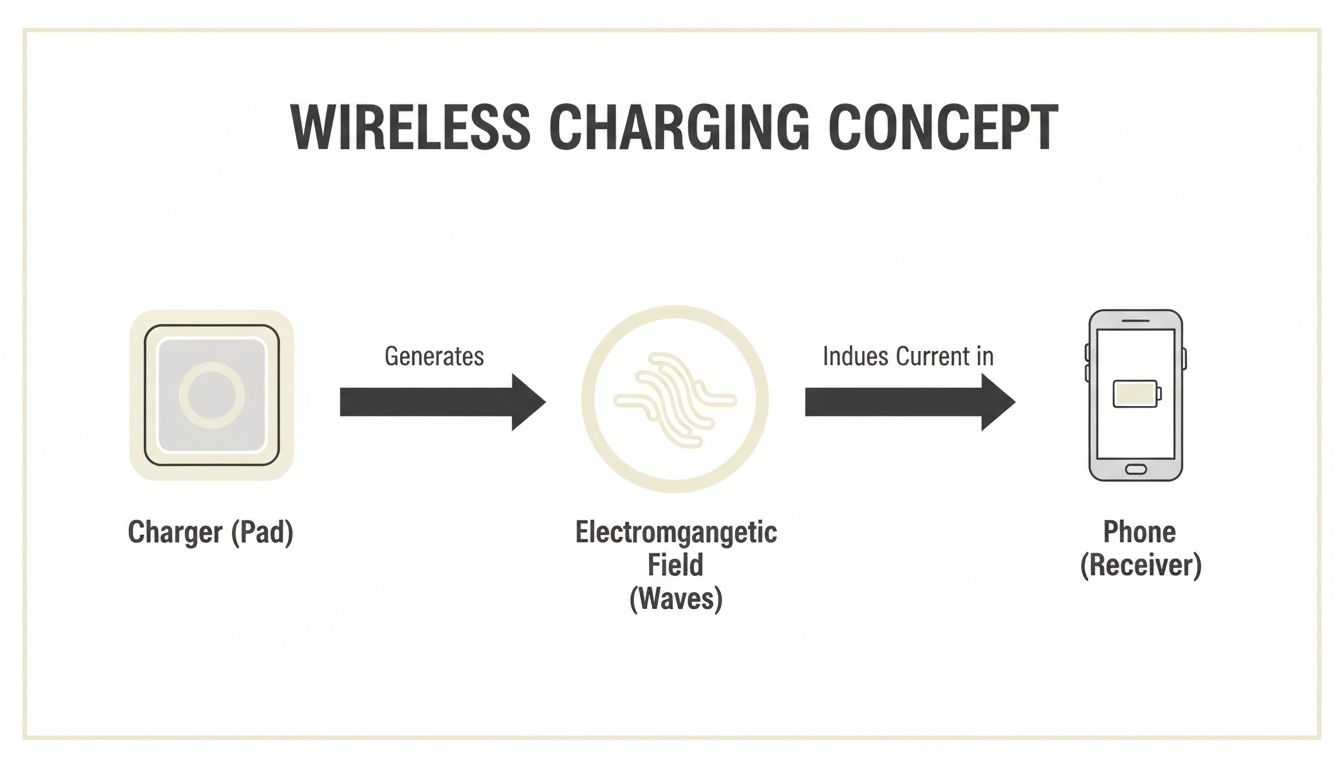
It's a simple flow: energy moves from the charging pad, across an electromagnetic field, and into your Galaxy device to juice up the battery.
Pinpointing the Charging Coils
The real secret to successful wireless charging is perfect alignment. You have to line up the transmitter coil in your charger with the receiver coil in your phone. For foldables, knowing where that receiver coil lives is half the battle.
- For the Galaxy Z Fold: The wireless charging coil is located in the bottom half of the right side when the phone is open. When you close it, this means the coil is in the lower portion of the back panel.
- For the Galaxy Z Flip: The coil is situated in the lower half of the phone's body. When closed, you’ll want to place that bottom section squarely on the center of your charging pad.
These coils aren't centered on the entire device like a traditional phone. Blindly plopping your foldable on a charger often leads to a weak connection or no connection at all. You have to consciously align the correct half of the phone.
How Position Impacts Charging Efficiency
How you place your foldable on the charger matters just as much as where. The state of your device—whether it's open, closed, or in Flex Mode—directly impacts charging speed and stability.
The most reliable and efficient way to wirelessly charge both a Z Fold and a Z Flip is when the device is closed. This position presents a flat, stable surface that lets the internal receiver coil get as close as possible to the charger's transmitter coil, ensuring maximum energy transfer.
Charging while the phone is open is possible, but it's often less practical and efficient. The uneven surface can create a bigger gap between the coils, which means slower charging and more heat buildup. Flex Mode charging can be handy on certain angled stands, but again, make sure the half of the phone containing the coil is making direct contact. And if you're thinking about overall battery wellness, you might want to explore tips on how to extend your phone's battery life for long-term health.
The Critical Role of Your Case
A poorly designed case can be the biggest enemy of wireless charging for your foldable. Bulky materials, especially metal components or super thick layers, can block the electromagnetic field and kill the connection between the charger and your phone. It's a common source of frustration for a lot of users.
On the other hand, a precision-engineered case is designed with wireless charging in mind.
- Material Composition: Optimized cases use non-interfering materials like polycarbonate or TPU that let the charging signal pass through without resistance.
- Slim Profile: Even rugged cases can be designed to be slim around the charging coil area, minimizing the distance the energy has to travel.
- Secure Fit: A case that fits perfectly ensures the phone sits flat and securely on the charger, preventing accidental slips that could interrupt the power flow.
Choosing a case isn't just about protection; it’s about making sure all your phone's features, including galaxy wireless charging, work flawlessly. A case from a specialized brand like FoldifyCase is built to complement the unique engineering of your foldable, not fight against it.
Choosing the Right Case for Optimal Charging
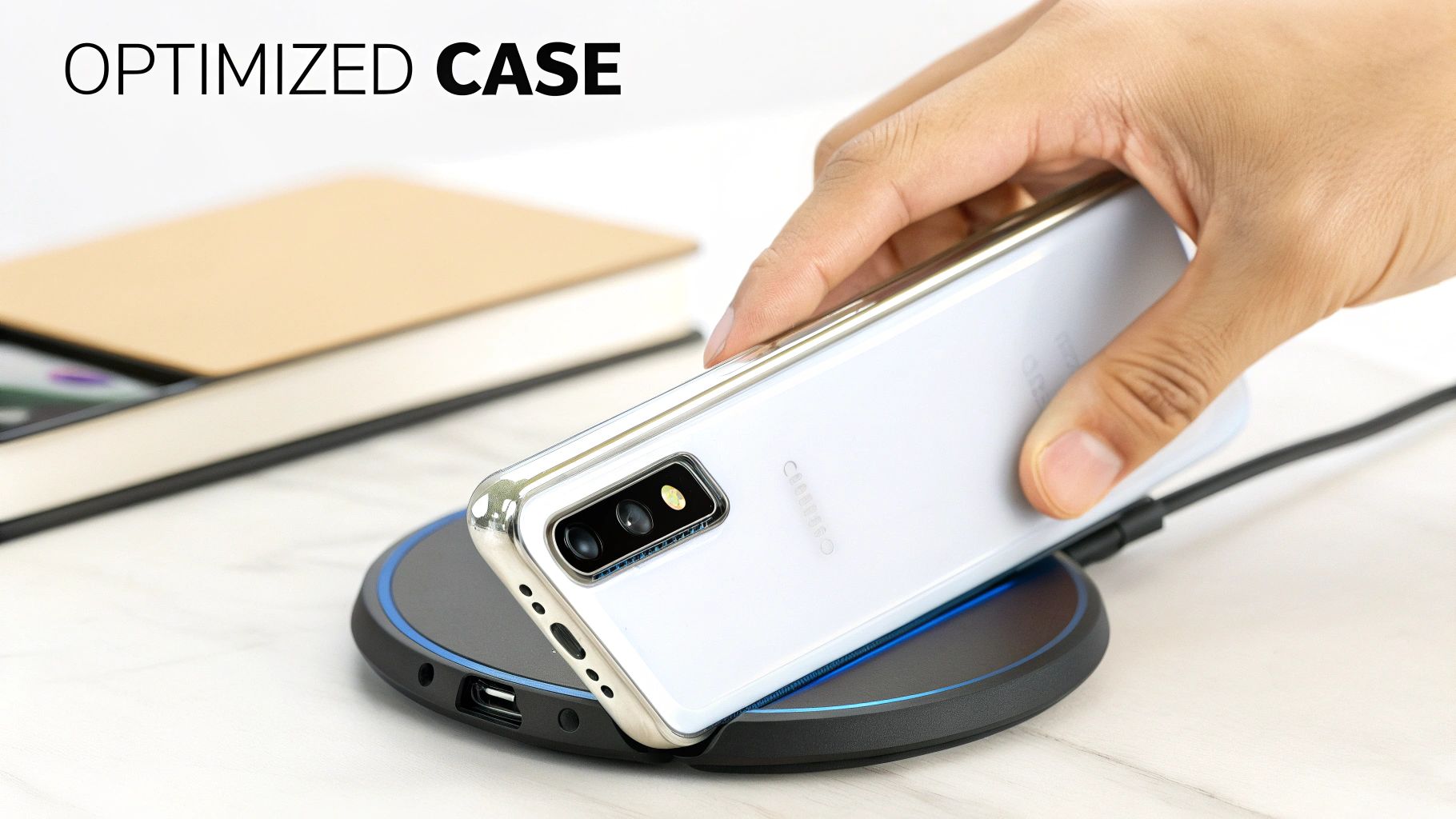
Your phone case is so much more than a protective shield—it's a critical player in your galaxy wireless charging setup. A great case works in harmony with your charger, but a poorly chosen one can be a constant source of frustration, causing slow speeds, overheating, and annoying connection drops.
Think of the wireless charging signal as a quiet whisper between your charger and your Galaxy. A well-designed case lets that whisper pass through loud and clear. A thick, bulky, or poorly made case acts like a thick wall, muffling the signal until it's barely audible or lost completely.
The Impact of Material and Thickness
Two things really determine if a case will play nice with your wireless charger: its material and its thickness. Even a thin layer of the wrong stuff can completely block the electromagnetic field your phone needs to charge.
Here’s the simple breakdown:
- Avoid Metal at All Costs: This is the golden rule. Metal is the kryptonite of wireless charging. Any case with metal plates, kickstands, or even big metallic accents will block the signal. It can even cause your charger to shut down as a safety measure.
- Check the Thickness: Most wireless chargers can push power through cases up to 3-5mm thick. Anything beefier than that seriously weakens the connection, which means less efficient charging and more heat.
- Stick to the Good Stuff: Look for cases made from materials like polycarbonate (PC), thermoplastic polyurethane (TPU), silicone, or genuine leather. These materials don't conduct electricity and let the charging signal pass through with almost no interference.
A case that is simply "compatible" might let a trickle of power through, but one that is "optimized" is engineered from the ground up with these principles in mind.
Optimized Versus Merely Compatible
So, what's the real difference between a "compatible" case and an "optimized" one? It all comes down to precision engineering. A compatible case just means it doesn't have any metal. An optimized case is intentionally designed to give you maximum protection with the slimmest possible profile right where the charging coil sits.
An optimized case is built with the understanding that every single millimeter of distance leads to energy loss. By minimizing the gap between your phone's receiver coil and the charger's transmitter coil, it ensures a stronger connection, faster speeds, and less wasted heat.
This is especially critical for foldable devices like the Galaxy Z Fold or Z Flip. Their unique shapes require cases that not only protect the hinge but are also molded perfectly to support a flawless galaxy wireless charging experience. If you want to see cases built for this exact purpose, check out our guide to the best magnetic phone cases that nail the balance between protection and pure function.
The Rise of Magnetic Alignment
With magnetic charging systems becoming more common—especially with the new Qi2 standard—the right case is more important than ever. These systems use a ring of magnets in both the charger and the case to create a perfect, satisfying snap into place every single time.
For this to work, your case must have its own built-in magnetic ring that is perfectly positioned. A case without one won't lock onto the charger at all, and one with weak or misplaced magnets will give you a flimsy, inefficient connection.
This is why we build these magnetic arrays directly into our FoldifyCase designs. We make sure your Galaxy Z Fold or Z Flip gets that secure magnetic lock and benefits from the most efficient power transfer possible. It completely eliminates the guesswork of lining up your phone, giving you a reliable charge every time.
To make it even clearer, let's compare how different case features affect wireless charging on your foldable.
Case Feature Comparison for Wireless Charging
This table breaks down how different case types from FoldifyCase perform with wireless charging, helping you choose the best fit for your Galaxy Z Fold or Z Flip.
| Case Type (FoldifyCase Example) | Key Feature | Wireless Charging Performance | Best For |
|---|---|---|---|
| Slim Minimalist Case | Ultra-thin profile (1-2mm) | Excellent | Users who prioritize aesthetics and low bulk. |
| Heavy-Duty Armor Case | Multi-layer protection (3-4mm) | Good | Maximum protection in demanding environments. |
| Magnetic (Qi2-Ready) Case | Built-in magnetic ring | Optimal | Perfect alignment and peak charging speeds. |
| Case with Metal Kickstand | Integrated metal stand | Poor / Incompatible | Users who prioritize media viewing over charging. |
| Thick Leather Wallet Case | Multiple card slots (>5mm) | Variable to Poor | Combining phone and wallet (remove cards to charge). |
Ultimately, choosing the right case isn't just about protecting your investment; it's about maximizing its convenience and ensuring it works exactly how you need it to, every single day.
Solving Common Wireless Charging Problems
Even the most seamless technology hits a snag now and then, and Galaxy wireless charging is no different. When it works, it’s magic. When it doesn't, it’s a modern-day mystery that can drive you crazy. The good news is that most wireless charging issues are surprisingly simple to fix.
This guide will walk you through the most common hiccups, from frustratingly slow speeds and overheating to your phone not charging at all. We’ll give you a clear checklist of what to look for and how to solve it, getting you back to that effortless drop-and-go power-up.
Issue 1: Your Phone Isn't Charging at All
You place your Galaxy Z Fold or Z Flip on the charging pad, and… nothing. No confirmation chime, no charging icon—just a blank screen staring back at you. This is the most frequent issue, and it almost always comes down to a simple connection problem somewhere in the chain.
Before you start worrying about a faulty phone or charger, run through this quick diagnostic checklist:
- Check the Power Source: It sounds obvious, but is the charging pad itself plugged into a live outlet? Make sure the wall adapter is pushed in firmly and the cable is secure at both ends.
- Reposition Your Phone: This is the number one culprit. As we’ve covered, foldables have their charging coils in specific locations. Give your phone a little nudge on the pad, focusing on centering the correct half of the device over the charger.
- Remove the Case: Pop your case off for a moment and see if charging starts. If it does, your case is either too thick or has metal components blocking the signal.
- Restart Your Phone: The classic "turn it off and on again" works wonders. A quick reboot can clear minor software glitches that might be interfering with the charging handshake.
Issue 2: Charging Is Painfully Slow
Is your phone technically charging, but at a snail's pace? A slow charge can feel even more frustrating than no charge at all. This problem almost always boils down to a lack of power, either from the wall adapter or an inefficient connection between the phone and the pad.
A good charging setup is all about efficiency. Every single component, from the wall plug to your phone case, has to work together to deliver power cleanly. A single weak link in this chain will throttle your charging speeds.
To get things moving faster, look for these potential bottlenecks:
- Use the Right Wall Adapter: A high-tech charging pad is useless if it's plugged into a weak adapter. Make sure you’re using a Quick Charge 2.0/3.0 or a USB Power Delivery (PD) adapter that can supply at least 15W-20W of juice.
- Avoid Laptop USB Ports: Plugging your wireless charger into a standard USB port on your computer just won't cut it. Those ports don't provide nearly enough power for fast charging. Always use a dedicated wall adapter.
- Close Background Apps: If your screen is on and you're running demanding apps, your phone might be using power almost as fast as it’s gaining it. Close out any heavy apps to let the battery recover more effectively.
Issue 3: The Phone Is Overheating
It's perfectly normal for your phone and charger to get a little warm during a wireless charging session. But if your Galaxy feels genuinely hot to the touch, or you get a temperature warning on the screen, something is wrong. Heat is the ultimate enemy of battery health, so this is an issue you need to solve right away.
Often, the cause is just poor alignment. When the coils aren't lined up perfectly, the system has to work much harder to transfer power, generating a lot of waste heat in the process.
This is where cases with strong magnetic alignment, like those from FoldifyCase, make a huge difference, especially for professionals in demanding settings like warehouses or fieldwork. The mainstream adoption of wireless charging really took off around 2017-2018, with Samsung leading the charge. Today, cases with precise Qi2 alignment can deliver full 15W speeds without forcing you to take off your protective gear—a vital feature since drop tests show 25% fewer failures in MIL-STD-810G certified cases. You can learn more about the evolution of smartphone chargers on sharge.com.
If overheating continues, make sure the charger isn't sitting in direct sunlight and has some space around it for air to circulate.
Your Galaxy Wireless Charging Questions Answered
We’ve covered the science, the best practices, and the common troubleshooting steps for galaxy wireless charging. Now, let's tackle the questions that pop up most often. This is your quick-reference guide, with clear, direct answers to help you charge your Galaxy foldable with total confidence.
Think of this as the final piece of the puzzle. We’ll clear up those lingering doubts and practical concerns so you have everything you need for a seamless wireless experience.
Can I Use Any Wireless Charger with My Galaxy Foldable?
Yes, you absolutely can—with one small but important catch. Any Qi-certified wireless charger will work with your Galaxy Z Fold or Z Flip. Qi is the universal standard that ensures different brands and devices can all play nicely together, so you can drop your Galaxy on a charger from Samsung, Anker, or Belkin, and it will start charging.
However, not all chargers are created equal when it comes to speed. To get the best performance, you'll want a charger that specifically supports Samsung's Fast Wireless Charging protocol. This lets your phone draw power much faster, typically between 10W to 15W.
A standard 5W charger will still get the job done, but it will feel noticeably slow, especially if you're in a hurry. For the quickest power-up, your best bet is an official Samsung charger or a quality third-party option that explicitly mentions support for Samsung's faster speeds.
Newer Qi2 chargers are also an excellent choice. They bring magnetic alignment to the table, which is a fantastic feature for foldables. The magnets ensure your device snaps into the perfect spot every single time, eliminating the guesswork and guaranteeing the most efficient connection.
Does Wireless Charging Damage My Phone's Battery?
This is one of the most persistent myths out there, but the short answer is no. Modern smartphones, especially premium devices like the Galaxy series, are packed with sophisticated battery management systems designed to protect against damage.
These systems are smart enough to prevent overcharging. Once your battery hits 100%, your phone and the charger communicate to cut the power flow, preventing the battery from being put under unnecessary stress.
While it's true that wireless charging can generate a bit more warmth than a cable, this is a completely normal part of the process. Your phone and the charger are both built to operate within safe temperature limits. As long as you use a quality, Qi-certified charger and make sure it has some airflow (i.e., not buried under a pile of blankets), the heat won't harm your battery's long-term health.
How Do Thick or Rugged Cases Affect Wireless Charging?
A case's material and thickness are the two biggest factors that can interfere with wireless charging. The electromagnetic field that transfers power has to pass through the case to reach your phone, and some materials can weaken or even block that signal.
Here’s a simple breakdown of what to look out for:
- Thickness: Cases thicker than 3-5mm can really slow things down. The extra distance weakens the connection, leading to slower speeds and more heat.
- Material: Anything metal is a complete no-go. Kickstands, finger rings, or decorative metal plates will block the signal entirely. If you want to charge wirelessly, always avoid cases with metal parts.
But this doesn't mean you have to give up on protection. Premium rugged cases are engineered to solve this problem. They use non-interfering materials like polycarbonate and are often designed with a slimmer profile right around the charging coil area. This gives you maximum drop protection without messing up your galaxy wireless charging.
What Is Wireless PowerShare and How Does It Work?
Wireless PowerShare is a brilliant feature that turns your Galaxy phone into a portable wireless charger. It uses the same internal coil that receives power but runs it in reverse, allowing it to send power out to other compatible devices.
This is incredibly handy for topping up your accessories when you’re away from an outlet. You can charge other Qi-enabled gadgets like:
- Your Galaxy Buds
- A Galaxy Watch
- Even a friend's phone
To use it, just pull down your phone's quick settings panel, tap the Wireless PowerShare icon, and place the device you want to charge on the back of your Galaxy. Your phone will share its battery until the other device is topped up or until your own battery drops to a certain level (usually 30%). It's a lifesaver for those moments when your earbuds die right before a meeting.
At FoldifyCase, we design our products to work seamlessly with features like wireless charging, ensuring you get the best of both worlds—uncompromising protection and total convenience. Explore our full range of expertly engineered cases and accessories to perfect your foldable experience. Discover the ideal solution for your device at https://www.foldifycase.com.